Backup & Recovery
Back Up Your Wallet
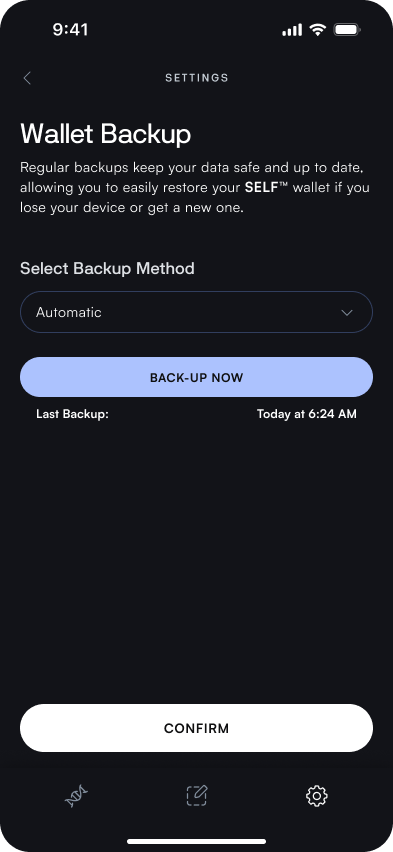
Wallet Backup
In order to keep your backup current, the SELF app automatically creates backups by default. This can be adjusted to a manual cadence, but this is not recommended.
Export Backup File
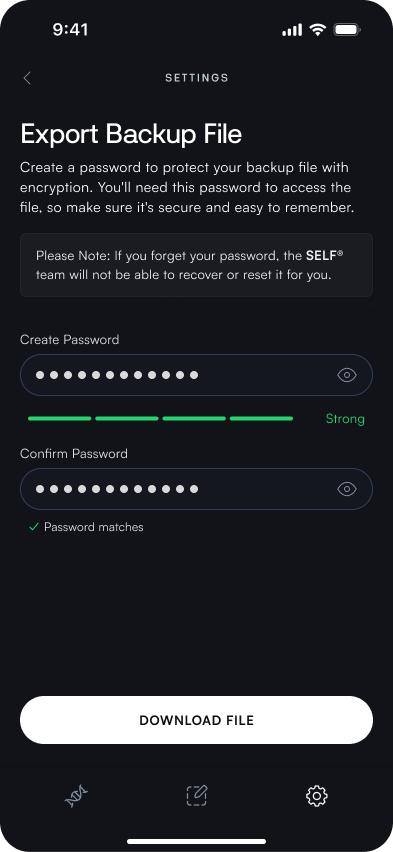
In addition to your recovery phrase, you can create an encrypted backup file to be stored locally on your device. The app generates an encrypted, password-protected backup of you wallet data. It is key to utilize a strong password different from your wallet password to ensure security. Regular backup reminders help to keep your backup current.
View Recovery Phrase
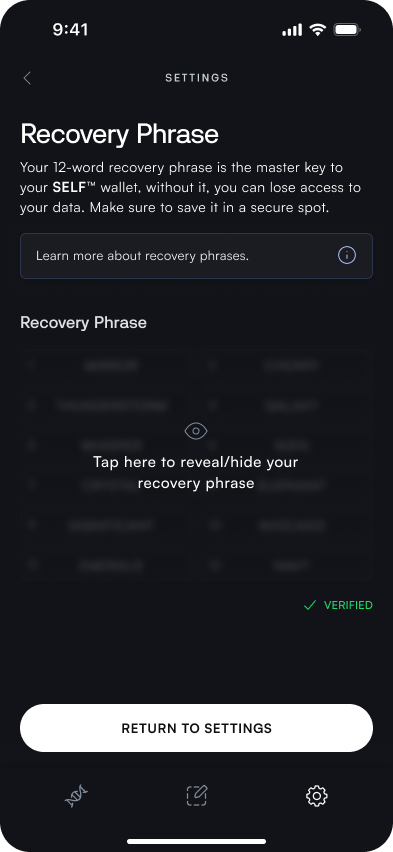
Your recovery phrase is always available to reference, but should again be treated with the utomost level of security.
Import Existing Genome
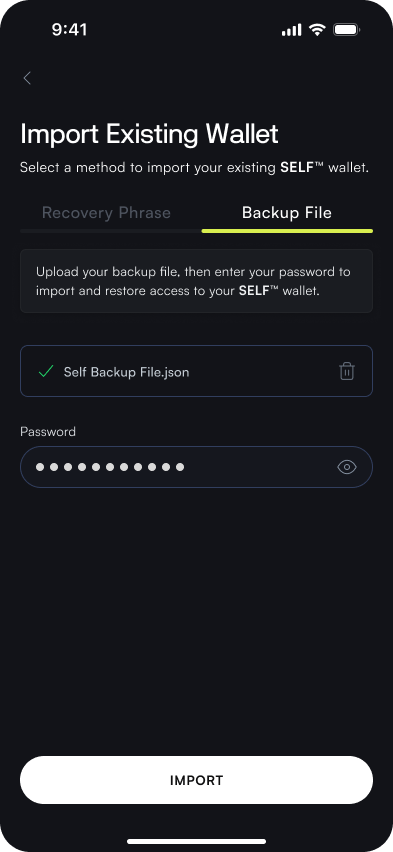
If you have previously created a genome using the SELF app, either on a different device or after removing the genome from your wallet, you can easily import your genome! This allows flexibility to manage your Genome across devices.
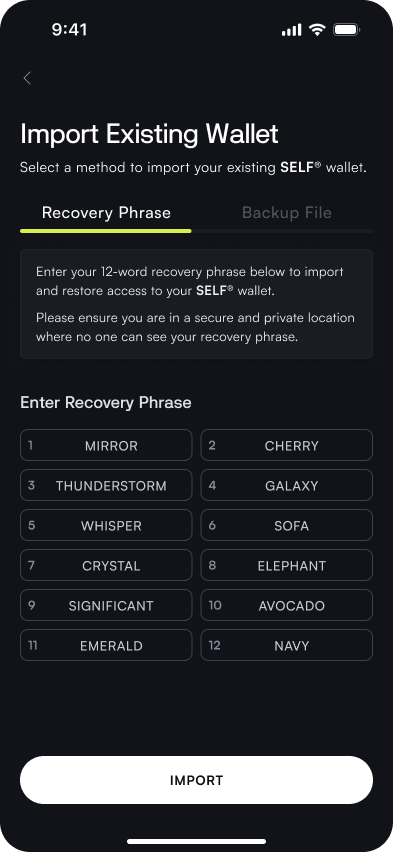
There are two different methods of importing an existing genome, via Recovery Phrase or File Backup. Each of these methods put emphasis on the importance of backing up your genome.
Recovery Phrase Import
The first and preferred method of importing an existing genome is through your previous Recovery Phrase. You will be prompted to enter your previously recorded 12-term recovery phrase. Once entered and submitted, your genome will become available in your wallet.
File Backup Import
You may also import your wallet from a previously downloaded backup file. This can be imported from your device’s local storage and your genome will be available in your wallet.